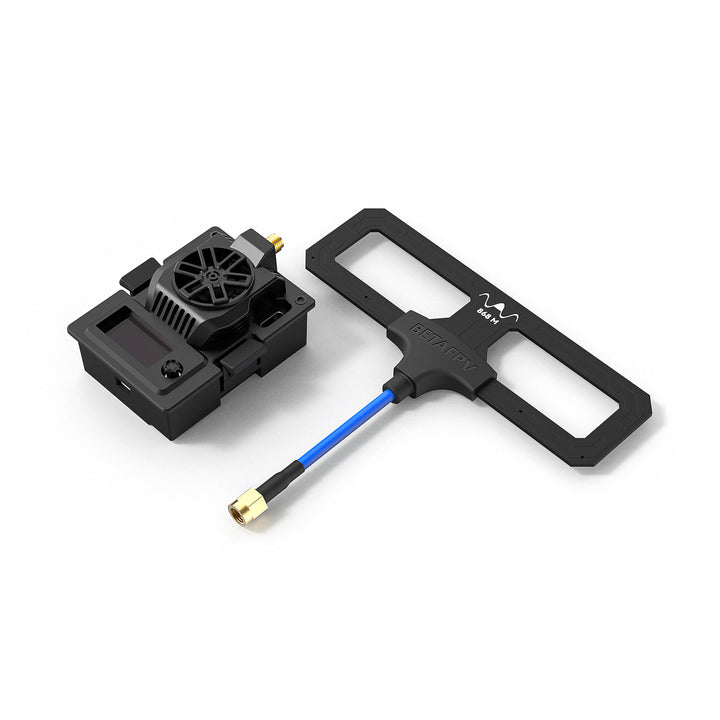
Moduł BETAFPV Micro TX V2 oferuje maksymalną moc nadawania 2 W oraz częstotliwość transmisji sięgającą 200 Hz, zapewniając stabilne i niezawodne połączenie nawet podczas lotów na dużych odległościach.
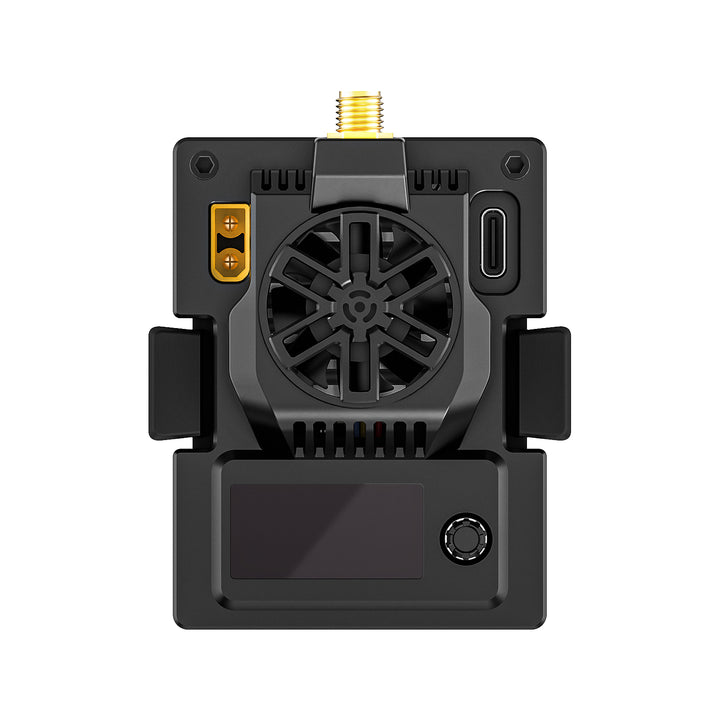
Za skuteczne odprowadzanie ciepła odpowiada rozbudowany system chłodzenia, wyposażony w oscylator TCXO, powiększone otwory wentylacyjne oraz wydajny, wysokoobrotowy wentylator osiowy 2507. Takie rozwiązanie pozwala utrzymać odpowiednią temperaturę modułu nawet przy pracy z wysoką mocą.
Micro TX V2 został zaprojektowany z myślą o maksymalnej stabilności połączenia i wysokiej odporności na zakłócenia, co ma szczególne znaczenie podczas lotów dalekiego zasięgu.
Aktualizacja oprogramowania jest prosta i wygodna dzięki 5-kierunkowemu przyciskowi sterującemu oraz wyświetlaczowi OLED, który umożliwia łatwą obsługę i konfigurację modułu.
BETAFPV Micro TX V2 to doskonały wybór dla pilotów FPV, którzy oczekują dużego zasięgu, stabilnego linku radiowego i niezawodnej pracy w wymagających warunkach.

Najważniejsze cechy
- Maksymalna moc nadawania 2000 mW (2 W) – ciesz się silniejszym sygnałem i większym zasięgiem transmisji.
- Rozbudowany system chłodzenia – wbudowany oscylator TCXO, aluminiowy radiator wykonany metodą CNC, powiększone otwory wentylacyjne oraz wysokoobrotowy wentylator osiowy 2507 zapewniają stabilną pracę łącza radiowego.
- Łatwe flashowanie oprogramowania – zapomnij o wieloetapowym przełączaniu ustawień PID. Dzięki 5-kierunkowemu przyciskowi sterującemu i wyświetlaczowi OLED aktualizacja firmware'u jest szybka i wygodna.
- Funkcja Backpack – umożliwia bezprzewodową komunikację pomiędzy urządzeniami ExpressLRS a innymi urządzeniami związanymi z FPV, pozwalając na zdalne sterowanie, przesyłanie komend oraz odczytywanie konfiguracji.
Specyfikacja techniczna
| Parametr |
Wartość |
| Produkt |
Moduł BETAFPV Micro TX V2 | ELRS 915/868 MHz |
| Masa |
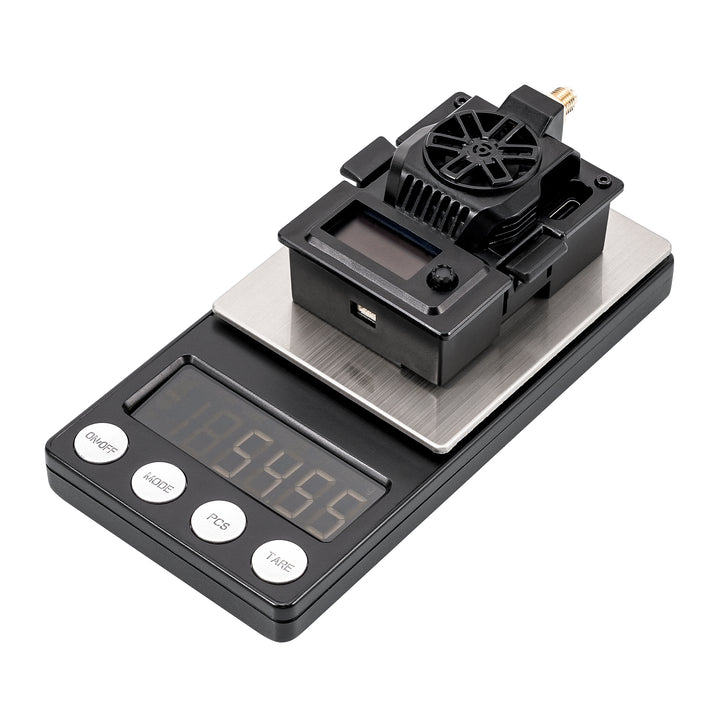
54,8 g |
| Kolor |
Czarny |
| Złącze antenowe |
SMA-KE |
| Moc nadawania RF |
10 / 25 / 50 / 100 / 250 / 500 / 1000 / 2000 mW |
| Częstotliwość przesyłania pakietów |
25 Hz / 50 Hz / 100 Hz / 100 Hz Full / 200 Hz / D50 |
| Pasmo częstotliwości |
915 MHz FCC / 868 MHz EU |
| Backpack |
Tak |
| Napięcie zasilania |
7–13 V DC |
| Prąd znamionowy |
1 A przy 10 V, 2000 mW, 200 Hz, 1:128 |
| Port USB |
USB Type-C |
| Napięcie wentylatora |
5 V |
| Domyślna wersja firmware'u |
ExpressLRS V3.4.3 |
| Nazwa targetu |
BETAFPV Micro 900MHz TX V2 |
The Micro TX V2 Module is an upgrade from the ELRS Micro TX Module. Below is a comparison of key specifications.
| |
Micro TX V2 |
Micro TX |
| Max RF Power |
2W |
1W/500mW |
| Frequency Band |
900MHz |
900MHz/2.4GHz |
| Fan |
2507 12000RPM |
2510 8000RPM |
| RF Chip |
SX1276 |
SX128X/SX1276 |
| External Power Supply |
Supported 5-25V |
Supported 5-12V |
Diagram
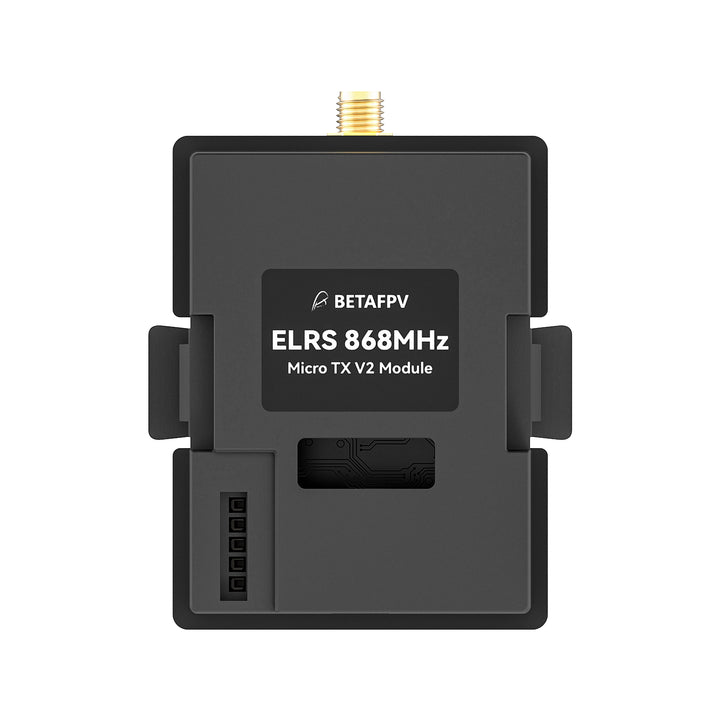
BETAFPV Micro TX V2 module is compatible with the radio transmitter which has the micro module bay (AKA JR/SLIM module bay, e.g. Frsky Taranis X9D, TBS Mambo). Below is the diagram.

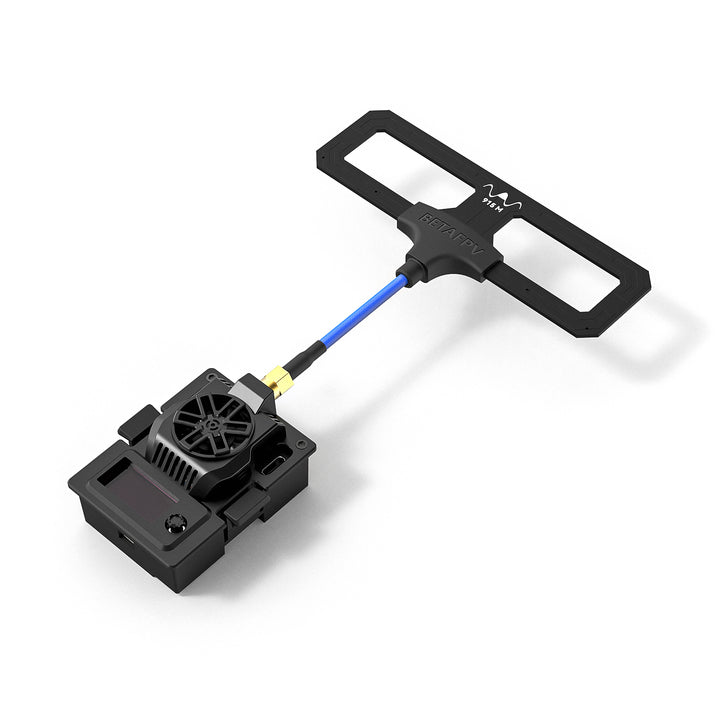
Note: Please assemble the antenna before powering on. Otherwise, the TX module's PA chip will be permanently damaged.
Moc RF 2 W
Moduł Micro TX V2 oferuje wysoką moc nadawania sięgającą 2000 mW (2 W). Dzięki zastosowaniu wbudowanego oscylatora TCXO (Temperature-Compensated Crystal Oscillator) moduł zapewnia stabilną i precyzyjną częstotliwość pracy nawet przy dużych zmianach temperatury. Pomaga to ograniczyć ryzyko zakłóceń sygnału i zapewnić stabilne połączenie podczas lotów dalekiego zasięgu.
Wyższa moc nadawania oznacza silniejszy sygnał, większy zasięg transmisji oraz większy obszar działania aparatury. Dzięki temu piloci mogą cieszyć się większą swobodą podczas lotów i niezawodną komunikacją bezprzewodową.
Uwaga: Aby zapewnić optymalne bezpieczeństwo i wydajność podczas pracy z wysoką mocą 2 W, należy używać złącza XT30 oraz zewnętrznego źródła zasilania przystosowanego do pakietów 2–4S. Obsługiwany zakres napięcia wynosi od 5 V do 25 V.

Using it together with the ELRS Receivers ensures a super stable yet strong radio link for pilots to fly in any environment that requires extremely stable signals and low latency, including FPV racing, long-range flight, and cinematic shooting. It gives pilots an aggressive but stable flight experience.

Cooling System Iteration
Engineered for precision and performance, this Micro TX V2 Module boasts a robust, CNC aluminum alloy heat sink design. Its cooling system includes enlarged airflow vents and an optimized fan layout, both internally and externally. Powered by a high-speed 2507 Axial Fan, it masterfully channels heat away, even under the most demanding power outputs. This ensures not only stable link performance but also the ultimate in temperature control, making drones easily cope with high loads and soar stably.

Moxon Antenna V2
BETAFPV Moxon Antenna V2 has been very popular with pilots since its release. By taking the features of Moxon and adding some new ones, the coaxial cable of Moxon V2 is soldered to the antenna, decreasing the signal transmission loss for better performance. Besides, the soldered joint is protected by an injection molding cover, making it a whole unit and very easy to install.

OLED and Button
The Intuitive Visualize Setting feature on the OLED, allows you to see and adjust your TX settings in real time and ensures that you're always in the know and in control. Personalize capabilities with the 5D Button feature, tailoring to your unique preferences and needs, and streamline your drone's operations, making it easier than ever to execute complex maneuvers and commands with just a touch.

There is a 5D button on the Micro TX V2 Module. Below is the basic operation of the button and OLED. Long Press: Unlock and enter the menu page, or apply current settings on the menu page. Up/Down: Move to the last/next row. Left/Right: Change the value of this row. Short Press: Enable binding status or WiFi upgrade status.

Note: When the RF TX module enters WIFI Upgrade status, the button will be invalid. Please re-power the RF TX module after the firmware update via WIFI.
Streamline Steps, Abundant function
Say goodbye to multiple steps of PID switches to flash the firmware, enjoying a fluent flashing experience easily with one 5D button. Backpack function, some of the ExpressLRS TX modules include an additional ESP8285 chip, which lets us communicate wirelessly with other ESP8285-enabled devices using a protocol called espnow. We call this chip the "TX-Backpack". The TX-Backpack aims to allow wireless communication between ExpressLRS, and other FPV-related devices for command and control, or for querying config.
https://github.com/ExpressLRS/Backpack/wiki

Combination with Most Radio TX
The Micro TX V2 Module supports the Micro module bay(AKA JR/SLIM module bay), which is compatible with most ELRS receivers and all OpenTX controllers and some no-OpenTX remote controls like T161Z, T16SZ, T18SZ, ET16, etc. on the market.

ELRS Series
The ExpressLRS Series expands its lineup with the addition of the Micro TX V2 Module. To achieve exceptional link quality. BETAFPV takes the flying experience to new heights by introducing ELRS links that offer long-range capabilities, low latency, and high refresh rates in a radio control system.

Basic Configuration
The Micro TX V2 Module defaults to receive signals in the Crossfire serial data protocol (CRSF), so the TX module interface of the remote control needs to support CRSF signal output. Taking the EdgeTX remote control system as an example, the following explains how to configure the remote control to output CRSF signals and control the TX module using Lua scripts.
CRSF Protocol: In the EdgeTX system, select "MODEL SEL" and enter the "SETUP" interface. In this interface, turn off Internal RF (set to "OFF"), turn on External RF, and set the mode to CRSF. Connect the module correctly and then the module will function properly.

Lua Script: Lua is a lightweight and compact script language. It can be used by being embedded in radio transmitters and easily reading and modifying the parameter set of the TX module. The directions for using Lua are as below.
- Download the elrsV3.lua on the BETAFPV official website or ExpressLRS configurator;

- Save the elrsV3.lua files onto the radio transmitter's SD Card in the Scripts/Tools folder;
- Press the "SYS" button or the "Menu" button on the EdgeTX system to access the "Tools" interface where you can choose "ExpressLRS" and run it;
- The below images show the Lua script if it runs successfully.

Bind & External Power Supply
The Micro TX V2 Module comes with the official major release ExpressLRS V3.4.3 protocol and no Binding Phrase included. So please make sure the receiver works on the official major release ExpressLRS V3.0.0 protocol. And no Binding Phrase set.
- Put the receiver into binding mode and wait for the connection;
- Using the button and OLED, move to the Bind position and short-press the button. Then the RF module will enter binding status. Or you can enter binding mode by clicking 'Bind' in the Lua script. If the Indicator of the receiver and the module turned solid. It indicates that they bound successfully.

Note: If the TX module has been reflashed firmware with a Binding Phrase, then using the above binding method will not be bound to other devices. Please set the same binding phrase for the receiver to perform automatic binding.
The power consumption of the Micro TX V2 Module when using a transmission power of 500mW or above is relatively high, which will shorten the usage time of the radio controller.
- Users can connect an external battery to the TX module through the XT30 port. The usage method is shown in the following figure.

Note: Please ensure the battery is fully charged before powering up the TX module to prevent reboot due to insufficient power supply, resulting in disconnection and loss of control.
FAQ
- Click to download the User Manual for the Micro TX V2 Module.
- Click to download the Firmware for the Micro TX V2 Module.
Package
- 1 * Micro TX V2 Module
- 1 * Moxon Antenna V2
- 1 * GH1.25-FUTABA Male Adapter Cable
- 1 * User Manual
- 1 * USB to Type-C Data Cable
- 1 * Service Card